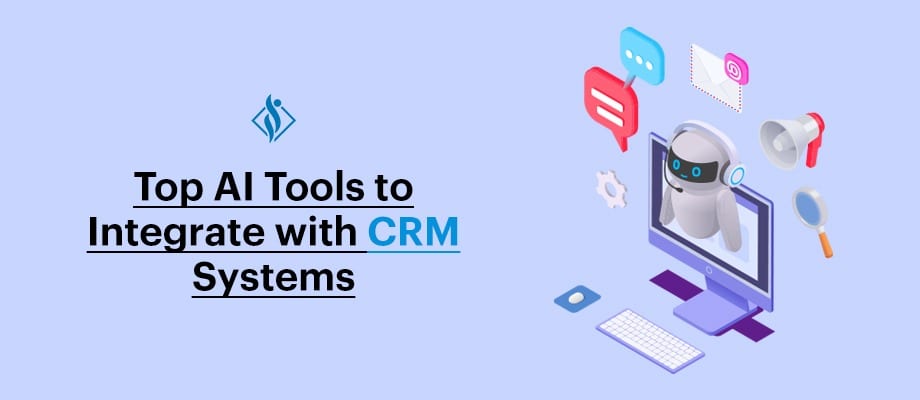
15 AI Tools to Integrate with CRM for Smarter Sales, Support & Automation

CRM systems were once built to store customer data, but today businesses expect much more. Modern teams want tools that can predict outcomes, automate workflows, and support faster decisions. That is why CRM is evolving from a record-keeping platform into a growth-driving system.
According to McKinsey & Company, companies using AI in customer-facing functions can see 15-20% improvement in sales productivity. Despite this, many CRM users still deal with manual work, slow follow-ups, and ineffective lead prioritization.
This is where AI tools create real impact. Instead of replacing platforms like Salesforce CRM or HubSpot CRM, they enhance them by turning data into actions. The right integration helps your CRM move beyond tracking relationships to actively driving growth.
Content Overview
What AI Integration with CRM Actually Means
AI integration with CRM simply means adding intelligence layers on top of your existing CRM system to automate decisions, improve data quality, and enhance customer interactions. Instead of just storing information, your CRM starts analyzing behavior, predicting outcomes, and triggering actions automatically.
In practice, this integration happens in three main ways. First, native AI inside CRM platforms like Salesforce Einstein or HubSpot AI, where capabilities like lead scoring and email suggestions are built-in. Second, API-based integrations, where tools like OpenAI connect directly to your CRM for custom automation. Third, middleware platforms like Zapier or Make, which link multiple tools without heavy development.
Types of AI CRM Integration
| Integration Type | How It Works | Example | Best For | Complexity |
|---|---|---|---|---|
| Native AI | Built directly into CRM | Salesforce Einstein | Quick adoption | Low |
| API Integration | Custom AI connected via APIs | OpenAI + CRM | Advanced workflows | High |
| Middleware | No-code/low-code connectors | Zapier, Make | Fast automation | Medium |
The key difference is flexibility versus control. Native AI is easy to use but limited, API integrations offer deep customization but require technical effort, and middleware tools sit in between, offering speed without full complexity. Choosing the right approach depends on your business goals, technical capability, and how deeply you want AI embedded into your CRM workflows.
5 Key Areas Where AI Improves CRM Performance
AI does not improve CRM in one single way, it enhances multiple operational layers simultaneously, from sales to support to data management. Understanding where AI creates the most impact helps you choose the right tools instead of over-investing in unnecessary features.
1. Sales Automation & Lead Intelligence
AI transforms how sales teams identify and convert opportunities. Instead of manually reviewing leads, AI models analyze behavior, engagement, and historical data to prioritize high-conversion prospects automatically.
Key improvements:
- Predictive lead scoring based on intent signals
- Automated follow-ups and email drafting
- Sales forecasting with higher accuracy
Business impact: Faster deal cycles and better conversion rates without increasing sales headcount.
2. Customer Support & Conversational AI
Traditional support teams react to queries. AI shifts this to a proactive and scalable support model, where common issues are resolved instantly through automation.
Key improvements:
- AI chatbots handling repetitive queries
- Ticket classification and routing automation
- 24/7 support without additional staffing
Business impact: Reduced response time and lower support costs while improving customer satisfaction.
3. Marketing Personalization & Campaign Optimization
AI helps CRM systems move from generic campaigns to hyper-personalized customer engagement. It analyzes user behavior in real time and adjusts messaging accordingly.
Key improvements:
- Dynamic email and content personalization
- Predictive customer segmentation
- Campaign performance optimization
Business impact: Higher engagement rates and improved ROI on marketing spend.
4. Data Enrichment & CRM Data Quality
One of the biggest CRM challenges is incomplete or outdated data. AI tools automatically enrich and clean data, making it more reliable for decision-making.
Key improvements:
- Automatic data enrichment (company, contact info)
- Duplicate detection and cleanup
- Real-time data validation
Business impact: Better decision-making and more accurate reporting.
5. Workflow Automation & Process Efficiency
AI reduces manual work across CRM workflows by automating repetitive and rule-based tasks. This allows teams to focus on high-value activities instead of operational overhead.
Key improvements:
- Automated task creation and assignment
- Workflow triggers based on behavior
- Cross-platform automation (CRM + marketing + support tools)
Business impact: Increased operational efficiency and reduced human error.
Top 15 AI Tools to Integrate with CRM Systems
1. OpenAI: for Custom CRM Intelligence and Automation.
OpenAI is a generative AI platform widely used for building intelligent assistants, content workflows, and decision-support systems. When connected with a CRM, it helps businesses turn customer data, conversations, and activity history into faster and more useful actions.
4 Key Use Cases in CRM
OpenAI is especially useful for:
- Lead qualification by analyzing form submissions, emails, or chat conversations
- Email and reply generation using CRM context and customer stage
- AI chat and support automation for faster customer interactions
- Data structuring by converting unstructured notes or conversations into usable CRM fields
This makes it valuable for teams that want more than rule-based automation.
Integration options
It is usually connected through:
- Direct API integration with the CRM for custom workflows, prompts, and automation logic
- Middleware tools like Zapier or Make for faster no-code or low-code deployment
- Custom backend services for enterprise environments that need security, control, and workflow orchestration
G2 rating
- G2: 4.7 / 5 ⭐ (2000+ Reviews)
Open AI is Best for
- Mid-size and enterprise businesses
- Teams that need custom AI workflows
- Companies working with an internal dev team or an AI integration partner
Integration complexity
High: Because it needs API setup, workflow design, and testing to produce reliable results.
Time-to-value
Medium: Most teams see value once the first workflow is properly defined and integrated.
Pros
- Highly flexible for custom CRM use cases like lead scoring, AI assistants, and smart automation
- Works with unstructured data such as emails, notes, transcripts, and chat conversations
- Scales across departments including sales, support, marketing, and operations
Cons
- Requires technical setup and is not as simple as native CRM add-ons
- Output quality depends on implementation, prompts, and workflow design
- Needs monitoring and governance for accuracy, consistency, and responsible use
When not to use it
If your goal is only simple task automation, a no-code tool may be enough. OpenAI is better when you want your CRM to analyze, decide, and respond intelligently, not just move data between apps.
2. Fin by Intercom: Customer Support Agent for CRM Systems
Fin by Intercom can be integrated with CRM systems to add a fully automated AI support agent on top of customer data. Instead of rule-based chatbots, it uses AI to understand queries and resolve customer issues in real time. It is developed by Intercom as part of its AI-first customer support platform.
4 Key Use Cases in CRM
Fin is especially useful for:
- Automated customer support by resolving queries without human intervention
- Context-aware responses using CRM data, help docs, and past conversations
- Ticket deflection by handling repetitive support requests
- Customer query understanding across multiple channels
This helps support teams scale without increasing headcount.
Integration options
It is usually connected through:
- Native integration with Intercom platform, which syncs with CRM tools like Salesforce, HubSpot, Pipedrive, and Zendesk
- Knowledge base integration to train AI on company-specific data
- API access for extending workflows and custom automation
G2 rating
- G2: 4.5 / 5 ⭐ (3000+ Reviews)
Fin is Best for
- Customer support teams
- SaaS and digital-first businesses
- Companies with high support ticket volume
Integration complexity
Medium: Requires setup of knowledge base, workflows, and CRM sync.
Time-to-value
Fast: Basic AI support can go live quickly once trained on data.
Pros
- True AI support agent, not rule-based chatbot
- Reduces support workload significantly
- Improves response time and customer experience
Cons
- Requires strong knowledge base for accurate responses
- Performance depends on training data quality
- May still need human fallback for complex cases
When not to use it
If your business has low support volume or highly complex, case-specific queries, Fin may not deliver full value. It works best for companies with repeatable support questions and scalable workflows.
3. Drift: Conversational Platform for Sales & Lead Qualification
Drift can be integrated with CRM systems to add a conversational AI layer focused on sales and lead engagement. Instead of static forms, it uses AI-driven chat to interact with visitors, qualify leads, and route them instantly. It is developed by Drift, a company focused on conversational marketing and revenue acceleration.
4 Key Use Cases in CRM
Drift is especially useful for:
- Real-time lead qualification through AI chat on website
- Meeting booking automation directly from conversations
- Sales routing by assigning leads to the right reps instantly
- Visitor engagement based on behavior and intent signals
This helps businesses convert website traffic into a qualified pipeline faster.
Integration options
It is usually connected through:
- Native CRM integrations with platforms like Salesforce, HubSpot, Microsoft Dynamics, and Marketo to sync leads and conversations
- Website and app integration to deploy chatbots across digital properties
- API access for custom workflows and deeper automation
G2 rating
- G2: 4.4 / 5 ⭐ (1000+ Reviews)
Drift is Best for
- B2B companies
- Marketing and sales teams
- Businesses focused on inbound lead conversion
Integration complexity
Medium: Requires setup of chat flows, targeting rules, and CRM sync.
Time-to-value
Fast: Basic chatbot and lead capture flows can be deployed quickly.
Pros
- Improves lead conversion through real-time interaction
- Automates meeting scheduling and lead routing
- Captures high-intent visitors effectively
Cons
- Limited compared to fully custom AI solutions
- Requires proper setup for best performance
- Pricing can be high for advanced features.
When not to use it
If your business does not rely on website-driven lead generation, Drift may not be necessary. It is best suited for companies with high inbound traffic and sales-driven conversations.
4. Zendesk AI: Customer Service Automation
Zendesk AI can be integrated with CRM systems to add an AI-driven support and ticket automation layer on top of customer interactions. Instead of manually managing tickets, it uses AI to understand, categorize, and respond to customer queries. It is developed by Zendesk, a company known for customer service and support platforms.
4 Key Use Cases in CRM
Zendesk AI is especially useful for:
- Automated ticket classification based on query type and urgency
- AI-generated responses to common customer questions
- Smart routing by assigning tickets to the right team or agent
- Customer sentiment analysis to prioritize critical issues
This helps support teams move from manual ticket handling to intelligent, automated service operations.
Integration options
It is usually connected through:
- Native integrations with CRM systems like Salesforce, HubSpot, Microsoft Dynamics, and Pipedrive for syncing customer data and tickets.
- Helpdesk and knowledge base integration to train AI on company-specific content
- API integrations for extending workflows and automation
G2 rating
- G2: 4.3 / 5 ⭐ (6000+)
Zandesk AI is Best for
- Customer support teams
- Enterprises with high ticket volumes
- Businesses focused on scaling support operations efficiently
Integration complexity
Medium: Requires setup of workflows, ticket rules, and knowledge base integration.
Time-to-value
Fast: Basic automation and AI responses can be deployed quickly.
Pros
- Automates repetitive support tasks effectively
- Improves response time and resolution speed
- Scales customer support without increasing team size
Cons
- Works best within Zendesk ecosystem
- Requires structured knowledge base for accuracy
- Advanced customization may need technical support
When not to use it
If your business does not rely on ticket-based customer support systems, Zendesk AI may not be necessary. It is best suited for organizations with high-volume, structured support workflows.
5. Gong: Revenue Intelligence for CRM
Gong can be integrated with CRM systems to add a conversation intelligence layer on top of sales activities. Instead of relying only on CRM data, it analyzes real sales calls, emails, and meetings to provide insights that improve deal outcomes. It is developed by Gong, a company focused on revenue intelligence and sales analytics.
4 Key Use Cases in CRM
Gong is especially useful for:
- Call and meeting analysis to identify winning sales behaviors
- Deal risk detection by analyzing conversation patterns and engagement
- Sales coaching insights based on real interactions
- Pipeline visibility by syncing conversation data into CRM
This helps sales teams move from guesswork to data-backed selling.
Integration options
It is usually connected through:
- Native CRM integrations with platforms like Salesforce, HubSpot, Microsoft Dynamics, Pipedrive, and Zoho to sync deal and activity data
- Email and calendar integrations to capture conversations automatically
- API access for advanced data analysis and reporting
G2 rating
- G2: 4.7 / 5 ⭐ (6000+ Reviews)
Gong is Best for
- B2B sales teams
- Revenue and sales operations leaders
- Organizations focused on improving win rates and deal visibility
Integration complexity
Medium: Requires setup for call tracking, CRM sync, and data alignment.
Time-to-value
Medium (2–4 weeks): Insights improve as more conversation data is collected.
Pros
- Deep sales insights from real conversations, not just CRM data
- Improves coaching and performance across sales teams
- Enhances pipeline visibility and forecasting accuracy
Cons
- High cost, especially for smaller teams
- Depends on call data quality for accurate insights
- Requires adoption by sales team to capture full value
When not to use it
If your sales process does not involve regular calls or recorded interactions, Gong may not deliver strong value. It is best suited for teams with high-volume, conversation-driven sales cycles.
6. Clari: Revenue Forecasting & Pipeline Intelligence
Clari by Salesloft can be integrated with CRM systems to add a predictive revenue intelligence layer on top of pipeline data. Instead of relying only on manual updates, it uses AI to analyze deals, activities, and trends to improve forecasting accuracy.
4 Key Use Cases in CRM
Clari is especially useful for:
- Sales forecasting using historical and real-time CRM data
- Pipeline visibility to track deal progress and identify gaps
- Deal inspection by highlighting risks and stalled opportunities
- Revenue tracking across teams, regions, and timelines
This helps leadership move from reactive reporting to predictive revenue planning.
Integration options
It is usually connected through:
- Native CRM integrations with platforms like Salesforce, HubSpot, and Microsoft Dynamics for pipeline and deal data sync
- Data integrations with email, calendar, and activity tracking tools
- API access for advanced reporting and enterprise workflows
G2 rating
- G2: 4.6 / 5 ⭐(5000+ Reviews)
Clari is Best for
- Revenue operations teams
- Sales leaders and forecasting teams
- Mid-size to enterprise organizations with structured pipelines
Integration complexity
Medium: Requires proper CRM data structure and alignment for accurate insights.
Time-to-value
Medium (3–6 weeks): Forecast accuracy improves as more data is analyzed over time.
Pros
- Highly accurate forecasting using AI-driven insights
- Strong pipeline visibility across teams and deals
- Improves decision-making for revenue planning
Cons
- Depends heavily on CRM data quality
- Setup requires alignment across sales processes
- Premium pricing may not suit smaller teams
When not to use it
If your CRM data is incomplete or sales processes are not standardized, Clari may not deliver accurate results. It works best when you already have a structured pipeline and consistent data flow.
7. Jasper AI: AI Content & Messaging Engine
Jasper AI can be integrated with CRM systems to add a content generation and personalization layer across sales and marketing workflows. Instead of manually writing emails, campaigns, or messages, it uses AI to generate context-aware content at scale. It is developed by Jasper, a company focused on AI-driven content and marketing tools.
4 Key Use Cases in CRM
Jasper AI is especially useful for:
- Personalized email generation based on CRM data and customer stage
- Sales messaging including outreach sequences and follow-ups
- Marketing content creation for campaigns, landing pages, and ads
- Content personalization tailored to different customer segments
This helps teams improve engagement while reducing manual content effort.
Integration options
It is usually connected through:
- API integration to generate and push content into CRM workflows
- CRM and marketing tool integrations to automate messaging across channels
- Browser extensions and plugins for direct usage within sales and marketing tools
G2 rating
- G2: 4.7 / 5 ⭐(1000+)
Jasper AI is Best for
- Marketing teams
- Sales teams handling outreach
- Businesses focused on scaling personalized communication
Integration complexity
Medium: Requires setup of workflows and alignment with CRM data for best results.
Time-to-value
Fast: Teams can start generating content and improving messaging quickly.
Pros
- Generates content at scale for sales and marketing
- Improves personalization using CRM data
- Reduces time spent on writing and content creation
Cons
- Content requires human review for accuracy and tone
- Not a decision-making AI, focused mainly on content
- May need prompt optimization for consistent results
When not to use it
If your focus is not on content-heavy workflows or communication, Jasper AI may not be necessary. It is best suited for teams that rely on email, campaigns, and messaging at scale.
8. HubSpot AI: Built-in AI for CRM Automation & Growth
HubSpot AI can be integrated within CRM workflows to add a native AI layer for sales, marketing, and support automation. Instead of relying on external tools, it brings AI directly into the CRM to improve productivity and decision-making. It is developed by HubSpot as part of its CRM platform.
4 Key Use Cases in CRM
HubSpot AI is especially useful for:
- Lead scoring and prioritization using predictive insights
- Email and content generation for sales and marketing teams
- Chatbots and customer support automation
- Workflow automation based on user behavior and CRM data
This helps teams use AI without complex integrations or external tools.
Integration options
It is usually connected through:
- Native integration within HubSpot CRM, requiring no external setup
- CRM workflows and automation tools to trigger AI-driven actions
- API integrations for extending AI capabilities into custom use cases
G2 rating
- G2: 4.4 / 5 ⭐
Hubspot AI is Best for
- SMB to mid-size businesses
- Teams already using HubSpot CRM
- Companies looking for easy AI adoption without complexity
Integration complexity
Low: AI features are built into the CRM and require minimal setup.
Time-to-value
Immediate: AI features can be used as soon as they are enabled.
Pros
- Built directly into CRM, no extra tools required
- Easy to use with minimal technical setup
- Covers multiple functions (sales, marketing, support)
Cons
- Limited customization compared to external AI tools
- Best suited only for HubSpot ecosystem
- Advanced features may require higher-tier plans
When not to use it
If you are using a different CRM or need deep customization and advanced AI workflows, HubSpot AI may feel limited. It works best for teams fully invested in the HubSpot ecosystem.
9. Salesforce Einstein: Native AI Layer for CRM Intelligence & Automation
Salesforce Einstein can be integrated within CRM systems to add a built-in AI intelligence layer across sales, service, and marketing workflows. Instead of relying on external tools, it uses AI directly within the CRM to analyze data, predict outcomes, and automate actions.
It is developed by Salesforce as part of its CRM ecosystem, and has evolved into Agentforce, Salesforce’s autonomous AI agent platform launched in 2024.
4 Key Use Cases in CRM
Salesforce Einstein is especially useful for:
- Predictive lead scoring to identify high-value prospects
- Sales forecasting based on historical and real-time data
- AI-driven recommendations for next best actions
- Customer insights and analytics to improve engagement
This helps organizations move from reactive CRM usage to predictive and data-driven operations.
Integration options
It is usually connected through:
- Native integration within Salesforce CRM, enabling AI across all modules
- Einstein APIs for extending AI capabilities into custom applications
- Data Cloud integration to unify and analyze customer data at scale
G2 rating
- G2: 4.4 / 5 ⭐
Salesforce Einstein is Best for
- Enterprise organizations
- Companies already using Salesforce
- Businesses focused on advanced CRM analytics and forecasting
Integration complexity
Medium: Requires configuration and proper data setup within Salesforce.
Time-to-value
Medium: Insights improve as more data is processed and analyzed.
Pros
- Deep integration within CRM, no external tools required
- Strong predictive analytics and forecasting capabilities
- Scales well for enterprise use cases
Cons
- Limited outside Salesforce ecosystem
- Requires clean and structured data for accuracy
- Higher cost with advanced features
When not to use it
If you are not using Salesforce or need a lightweight, flexible AI solution, Einstein may not be suitable. It works best for organizations deeply invested in the Salesforce ecosystem.
10. Microsoft Copilot for Dynamics 365: AI Assistant for CRM Productivity & Insights
Microsoft Copilot for Dynamics 365 can be integrated with CRM systems to add a generative AI assistant layer across sales, service, and operations. Instead of manually analyzing data or drafting communication, it uses AI to assist users directly within workflows. It is developed by Microsoft as part of its Dynamics 365 ecosystem.
4 Key Use Cases in CRM
Microsoft Copilot is especially useful for:
- Email drafting and summarization using CRM context
- Meeting and conversation summaries for faster follow-ups
- Sales insights and recommendations based on pipeline data
- Customer interaction analysis to improve engagement
This helps teams reduce manual work and focus on high-value customer interactions.
Integration options
It is usually connected through:
- Native integration within Microsoft Dynamics 365 CRM for seamless AI assistance
- Integration with Microsoft 365 tools (Outlook, Teams) for workflow continuity
- API and Azure integrations for extending AI capabilities into custom systems
G2 rating
G2: 4.4 / 5 ⭐
Microsoft Copilot is Best for
- Enterprises using Microsoft ecosystem
- Sales and service teams
- Businesses focused on productivity and workflow efficiency
Integration complexity
Low to Medium: Easy within Microsoft ecosystem, but customization may require technical setup.
Time-to-value
Fast: AI assistance is available quickly once enabled.
Pros
- Seamless integration with Microsoft tools
- Improves productivity with AI assistance
- Strong contextual understanding of CRM data
Cons
- Limited outside Microsoft ecosystem
- Advanced features may require licensing upgrades
- Customization depends on technical setup
When not to use it
If your organization does not use Microsoft Dynamics or Microsoft 365 ecosystem, Copilot may not be practical. It works best for businesses already invested in Microsoft platforms.
11. Zoho Zia: AI Assistant for CRM Insights & Automation
Zoho Zia can be integrated with CRM systems to add a built-in AI assistant layer for sales insights, automation, and anomaly detection. Instead of manually analyzing CRM data, it uses AI to identify patterns, suggest actions, and improve decision-making. It is developed by Zoho as part of its CRM platform.
4 Key Use Cases in CRM
Zoho Zia is especially useful for:
- Lead and deal prediction to identify high-conversion opportunities
- Sales trend analysis based on historical CRM data
- Anomaly detection to flag unusual changes in pipeline or performance
- Task and workflow suggestions for improving productivity
This helps teams move from manual tracking to AI-assisted decision-making.
Integration options
It is usually connected through:
- Native integration within Zoho CRM, enabling AI across modules
- Zoho ecosystem integrations (Sales, Marketing, Support tools)
- API access for extending AI capabilities into custom workflows
G2 rating
- G2: 4.3 / 5 ⭐
Zoho Zia is Best for
- SMBs and mid-size businesses
- Teams already using Zoho CRM
- Companies looking for affordable AI within CRM
Integration complexity
Low: AI features are built-in and easy to enable.
Time-to-value
Fast: Insights and recommendations are available quickly after setup.
Pros
- Cost-effective AI solution within CRM
- Easy to use with minimal setup
- Provides predictive insights and anomaly detection
Cons
- Limited customization compared to external AI tools
- Best suited for Zoho ecosystem only
- Advanced capabilities may be restricted
When not to use it
If you are using a different CRM or need highly advanced, customizable AI workflows, Zoho Zia may feel limited. It works best for businesses already operating within the Zoho ecosystem.
12. Fireflies.ai: AI Meeting Intelligence & Data Capture & Insights
Fireflies.ai can be integrated with CRM systems to add an AI-powered meeting intelligence layer that captures, transcribes, and analyzes conversations automatically. Instead of manually logging notes after meetings, it ensures every interaction is recorded and structured for CRM use. It is developed by Fireflies.ai, a company focused on AI-driven meeting and conversation intelligence.
4 Key Use Cases in CRM
Fireflies.ai is especially useful for:
- Automatic meeting transcription linked to CRM contacts, deals, and accounts
- AI-generated summaries and action items for faster follow-ups
- Searchable conversation insights across all customer interactions
- Call and meeting analysis to identify key topics, objections, and sentiment
This helps teams ensure that critical customer insights are consistently captured and used within CRM workflows.
Integration options
It is usually connected through:
- Native integrations with CRM platforms like Salesforce, HubSpot, Pipedrive, Zoho, and Close CRM to sync meeting data automatically
- Video conferencing integrations (Zoom, Google Meet, Microsoft Teams) for real-time recording and transcription
- API and webhook integrations for pushing insights into custom CRM workflows and automation systems
G2 rating
- G2: 4.7 / 5 ⭐
Fireflies is Best for
- Sales, customer success, and account management teams
- Organizations with frequent client or internal meetings
- Businesses looking to automate CRM data entry from conversations
Integration complexity
Low: Most integrations are plug-and-play with minimal setup required.
Time-to-value
Immediate: Teams can start capturing and using meeting insights from day one.
Pros
- Eliminates manual note-taking and CRM data entry
- Captures complete conversation history automatically
- Improves follow-up accuracy and team alignment
Cons
- Limited deep deal intelligence compared to advanced revenue tools
- Requires meeting recording permissions and compliance handling
- Insight quality depends on clarity of conversations
When not to use it
If your team has low meeting frequency or relies primarily on structured CRM inputs, Fireflies.ai may not deliver significant value. It works best for teams with high interaction volume and conversation-driven workflows.
13. Chorus.ai: Conversation Intelligence for CRM Deal Insights & Sales Performance
Chorus.ai can be integrated with CRM systems to add an AI-driven conversation intelligence layer that analyzes calls, meetings, and emails to improve deal outcomes. Instead of relying only on CRM updates, it captures real interaction data and turns it into actionable insights. It is developed by ZoomInfo as part of its revenue intelligence platform.
4 Key Use Cases in CRM
Chorus.ai is especially useful for:
- AI-driven call and meeting analysis to identify winning sales behaviors
- Deal risk detection based on engagement patterns and conversation signals
- Sales coaching insights using real interaction data
- Customer engagement tracking across the entire sales cycle
This helps teams move from intuition-based selling to data-backed deal execution and performance improvement.
Integration options
It is usually connected through:
- Native integrations with CRM platforms like Salesforce CRM to sync conversation insights with deals
- Email, call, and calendar integrations to automatically capture customer interactions
- API integrations for advanced analytics, reporting, and workflow automation
G2 rating
- G2: ⭐ 4.5 / 5
Chorus.ai is Best for
- Mid-size to enterprise sales teams
- Revenue operations and sales leadership
- Organizations focused on improving win rates and deal visibility
Integration complexity
Medium: Requires setup for capturing conversations and aligning them with CRM data.
Time-to-value
Medium: Insights improve as more conversations are recorded and analyzed.
Pros
- Provides deep insights into customer conversations
- Improves sales coaching and team performance
- Enhances deal visibility and pipeline understanding
Cons
- Requires consistent call and meeting recording adoption
- Can overlap with similar tools like Gong
- Higher cost for advanced features and scaling teams
When not to use it
If your sales process is not conversation-driven or does not involve frequent calls and meetings, Chorus.ai may not deliver full value. It is best suited for teams with high interaction volume and complex sales cycles.
14. 6sense: AI-Powered Intent Data & Predictive Targeting
6sense can be integrated with CRM systems to add a predictive intelligence layer that identifies which accounts are actively researching and most likely to convert. Instead of relying on static lead scoring, it uses AI to analyze behavioral signals, intent data, and engagement patterns across channels. It is developed by 6sense, a company focused on AI-driven revenue intelligence and account-based marketing.
4 Key Use Cases in CRM
6sense is especially useful for:
- Buyer intent detection by analyzing anonymous and known user behavior across the web
- Predictive lead and account scoring based on likelihood to convert
- Sales prioritization by identifying high-value, in-market accounts
- Account-based marketing alignment between sales and marketing teams
This helps organizations move from reactive lead management to proactive, intent-driven selling.
Integration options
It is usually connected through:
- Native integrations with CRM platforms like Salesforce CRM, Microsoft Dynamics to sync account insights and scoring
- Marketing automation integrations to align campaigns with intent data
- API integrations for custom workflows, reporting, and advanced targeting models
G2 rating
- G2 Rating: 4 / 5 ⭐
6sense is Best for
- B2B and enterprise organizations
- Account-based marketing (ABM) teams
- Companies focused on high-value deal conversion and pipeline efficiency
Integration complexity
High: Requires alignment across CRM, marketing, and data systems for full value.
Time-to-value
Medium: Insights improve as the platform collects and processes more behavioral data.
Pros
- Identifies high-intent buyers early in the journey
- Improves sales efficiency by focusing on the right accounts
- Aligns marketing and sales with shared intelligence
Cons
- Requires strong data infrastructure and integration setup
- Higher cost compared to basic lead scoring tools
- Best suited for mature, data-driven organizations
When not to use it
If your business lacks sufficient data volume, structured processes, or account-based strategy, 6sense may not deliver full value. It is best suited for organizations with complex sales cycles and high-value deals.
15. People.ai: AI Activity Intelligence for Data Accuracy
People.ai can be integrated with CRM systems to add an AI-driven activity capture and intelligence layer on top of sales operations. Instead of relying on manual updates, it automatically captures interactions across emails, meetings, and calls, and connects them to deals and accounts. It is developed by People.ai, a company focused on AI-powered revenue operations and data intelligence.
4 Key Use Cases in CRM
People.ai is especially useful for:
- Automatic activity capture from emails, calendars, and meetings into CRM
- Complete engagement tracking across deals, accounts, and contacts
- Improved CRM data accuracy by eliminating manual entry gaps
- Pipeline visibility based on real customer interactions
This helps organizations move from incomplete CRM records to reliable, activity-driven insights for better decision-making.
Integration options
It is usually connected through:
- Native integrations with CRM platforms like Salesforce and Microsoft Dynamics to sync activities with deals and accounts
- Email and calendar integrations to automatically capture interactions
- API integrations for custom analytics, reporting, and workflow extensions
G2 rating
- G2: 4.4 / 5 ⭐
People.ai is Best for
- Enterprise sales teams
- Revenue operations and sales leadership
- Organizations struggling with CRM data gaps and visibility issues
Integration complexity
Medium: Requires setup across CRM, communication tools, and data mapping for full effectiveness.
Time-to-value
Medium: Value increases as more activity data is captured and analyzed over time.
Pros
- Eliminates manual CRM data entry and improves data completeness
- Enhances pipeline visibility using real engagement data
- Supports better forecasting and revenue insights
Cons
- Requires organization-wide adoption for full impact
- Setup can be complex across multiple systems
- Best suited for larger, structured sales teams
When not to use it
If your CRM data is already highly accurate and consistently maintained, the incremental benefit may be limited. It is best suited for organizations facing data inconsistency and visibility challenges.
Quick Comparison of AI Tools for CRM
| Tool | Category | AI Type | Best For | Business Size Fit | Complexity | Time-to-Value | Pricing | G2 Rating |
|---|---|---|---|---|---|---|---|---|
| OpenAI | Custom AI | Generative | Custom CRM workflows | Mid → Enterprise (also startups with dev teams) | High | Medium | API pricing (e.g., GPT-4o usage-based, ~$5–$15 per 1M tokens) | 4.7 |
| Fin (Intercom) | Support AI | Conversational | Customer support automation | SMB → Enterprise | Medium | Fast | Starts ~$39/user/month + usage-based (per resolution) | 4.5 |
| Drift | Conversational AI | Conversational | Lead qualification | Mid → Enterprise | Medium | Fast | Custom pricing (~$2,500+/month typical) | 4.4 |
| Zendesk AI | Support AI | Conversational | Ticket automation | SMB → Enterprise | Medium | Fast | ~$55–$115/user/month (Suite plans) | 4.3 |
| Gong | Revenue AI | Predictive | Sales intelligence | Mid → Enterprise | Medium | Medium | ~$1,200–$1,600/user/year (est.) | 4.7 |
| Clari | Revenue AI | Predictive | Forecasting | Enterprise | Medium | Medium | ~$60K–$150K/year (org-level est.) | 4.6 |
| Jasper AI | Content AI | Generative | Content & outreach | SMB → Mid | Medium | Fast | Starts ~$49/month | 4.7 |
| HubSpot AI | CRM Native | Mixed | SMB automation | SMB → Mid | Low | Immediate | ~$20–$1,200+/month depending on hub | 4.4 |
| Salesforce Einstein | CRM Native | Predictive | Enterprise CRM | Mid → Enterprise | Medium | Medium | ~$50–$150/user/month (add-on) | 4.4 |
| Microsoft Copilot | CRM Native | Generative | Productivity & insights | Mid → Enterprise | Low–Medium | Fast | ~$30/user/month (M365), extra for Dynamics | 4.4 |
| Zoho Zia | CRM Native | Predictive | CRM insights | SMB | Low | Fast | Starts ~$14/user/month | 4.3 |
| Fireflies.ai | Meeting AI | Conversational | Meeting insights | SMB → Mid | Low | Immediate | Free + ~$18/user/month | 4.7 |
| Chorus.ai | Conversation AI | Predictive | Deal insights | Mid → Enterprise | Medium | Medium | Custom (ZoomInfo bundled) | 4.5 |
| 6sense | Predictive AI | Predictive | ABM & intent data | Enterprise | High | Medium | ~$60K–$200K/year (est.) | 4.0 |
| People.ai | Revenue AI | Predictive | CRM data accuracy | Enterprise | Medium | Medium | ~$50K+/year (est.) | 4.4 |
Conclusion
AI can turn a CRM from a system that only stores customer data into one that supports faster decisions, better engagement, and more efficient workflows. But the real value does not come from using the most tools. It comes from choosing the right AI tools based on your business goals, data readiness, and CRM ecosystem.
Some businesses may need conversational AI to improve support and lead engagement, while others may benefit more from predictive tools for forecasting, buyer intent, or pipeline visibility. The key is to focus on practical use cases that solve real operational problems, not just adopt AI for the sake of it.
This is where Samarpan Infotech can add value as an AI integration expert. From selecting the right tools to connecting them with your CRM workflows, the goal should be to implement AI in a way that is scalable, useful, and aligned with measurable business outcomes.
With over 10 years of experience in Tech industry at Samarpan Infotech with architect system, problem solving and creativity. "Today is the only day. Yesterday is gone".